YouTube hashtags are one of those features that most creators either ignore completely or use incorrectly. In 2026, hashtags play a modest but real role in YouTube discovery. Here's what the data shows and how to use them effectively.
After analyzing thousands of YouTube channels across every major niche, patterns emerge. The strategies that work aren't secret — they're just rarely executed with the consistency and precision required to see results. This guide changes that by giving you a clear, actionable framework backed by data from our work managing 250+ channels.
How YouTube Hashtags Work
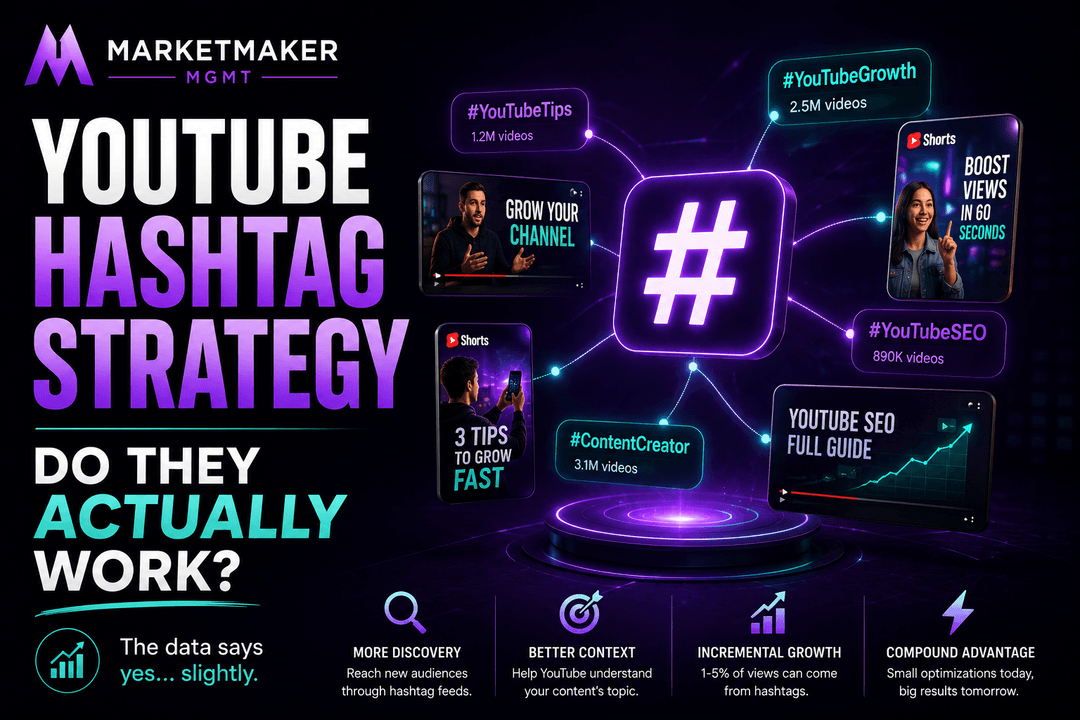
When you add hashtags to your video description, the first three appear as clickable links above your video title. Clicking a hashtag shows a feed of videos using that same hashtag. This creates an additional discovery pathway beyond search and recommendations.
Do Hashtags Actually Increase Views?
The honest answer: hashtags alone won't transform your view counts. They provide incremental discovery — typically 1-5% of total views come from hashtag clicks. However, for new channels fighting for every view, that incremental traffic matters.
Where hashtags shine is in combination with other SEO signals. Using relevant hashtags helps YouTube understand your content's topic, which can improve your ranking in search and suggested videos.
Behind the Scenes: When we onboard a new client channel, the first thing we do is audit their approach to this exact topic. In over 80% of cases, we find significant room for improvement that translates directly into more views, subscribers, and revenue. The optimizations aren't complex — they just require systematic execution.
By the Numbers: Channels that take this seriously and implement these strategies see an average of 2.5x growth in their first 6 months compared to their previous growth rate. That's not a marginal improvement — it's transformative.
Best Practices
**Use 3-5 hashtags per video**. YouTube allows up to 15, but using more than 5 looks spammy. The first 3 are displayed above your title, so prioritize those.
**Mix broad and specific hashtags**. Example for a YouTube growth video: #YouTubeGrowth (broad), #YouTubeSEO (medium), #YouTubeTips2026 (specific).
**Include one branded hashtag**. Create a unique hashtag for your channel or series. #MarketMakerMGMT or #YourChannelName builds brand recognition.
**Use hashtags in Shorts descriptions**. Hashtags play a larger role in Shorts discovery than in long-form content. The Shorts feed uses hashtags as a content categorization signal.
Common Hashtag Mistakes
Using irrelevant hashtags: Adding #MrBeast or #trending to unrelated content doesn't help — it can actually hurt your performance because YouTube sees the mismatch between the hashtag and your actual content.
Too many hashtags: Using more than 15 hashtags causes YouTube to ignore ALL of them. Stick to 3-5.
Hashtags only in title: Hashtags work best in the description, where the first three are pulled to display above your title. Putting hashtags in your title wastes valuable title real estate.
Not updating hashtags: Hashtag trends change. "#YouTubeTips2024" is outdated. Keep your hashtags current and relevant.
Common Mistakes to Avoid: The three most common errors we see are: (1) inconsistency — starting strong then falling off after 2-3 weeks, (2) impatience — expecting results in days when the algorithm needs 2-4 weeks of data, and (3) copying without adapting — what works for MrBeast won't work the same way for a 5,000-subscriber channel. Adapt strategies to your audience size and niche.
The 80/20 Rule Applied: 80% of your results will come from 20% of the strategies. For most channels, the highest-impact optimizations are thumbnails, titles, and upload consistency. Master these three before worrying about anything else.
The Verdict
Hashtags are a small piece of a larger SEO strategy. They won't make or break your channel, but used correctly, they contribute to YouTube's understanding of your content and provide an additional discovery channel. Think of them as the cherry on top of a well-optimized video, not the foundation.
What Separates Good Channels from Great Ones
The difference isn't budget, equipment, or even content quality. It's systems. Great channels have systems for every part of their workflow: content ideation, keyword research, production, optimization, publishing, and community engagement. When these systems run consistently, growth becomes predictable rather than random.
If building these systems feels overwhelming, that's exactly why YouTube management services exist. We've built these systems for 250+ channels — and the results speak for themselves. Whether you do it yourself or work with a team, the important thing is to start.
SEO as a Long-Term Growth Engine
The beauty of YouTube SEO is its permanence. A well-optimized video from 2024 can still rank #1 for its target keyword in 2026. We have clients whose highest-performing videos were published 2-3 years ago — they continue generating thousands of views monthly because the SEO foundations were laid correctly.
This is fundamentally different from social media marketing, where yesterday's post is already forgotten. Every SEO-optimized YouTube video you publish adds another permanent entry point to your channel. After 100+ optimized videos, you have 100+ keywords working for you simultaneously.
The channels that dominate YouTube search aren't necessarily creating the best content — they're creating the most findable content. When quality and discoverability align, that's when explosive growth happens. This is exactly why professional YouTube SEO services often pay for themselves within the first 2-3 months.
Sources & References

Want results like the strategies discussed in this article? Let our team handle your YouTube growth.
Get Started